
Your recruiters know it. Make sure your CRM does too.
Devyce Enhanced already keeps a few basic fields current: salary, location, current employer. Data Link does the rest. It reads your CRM's own field structure, works out what each of your standard and custom fields is for, and keeps every one of them up to date from the conversations your recruiters are already having.
Talk to us about Data Link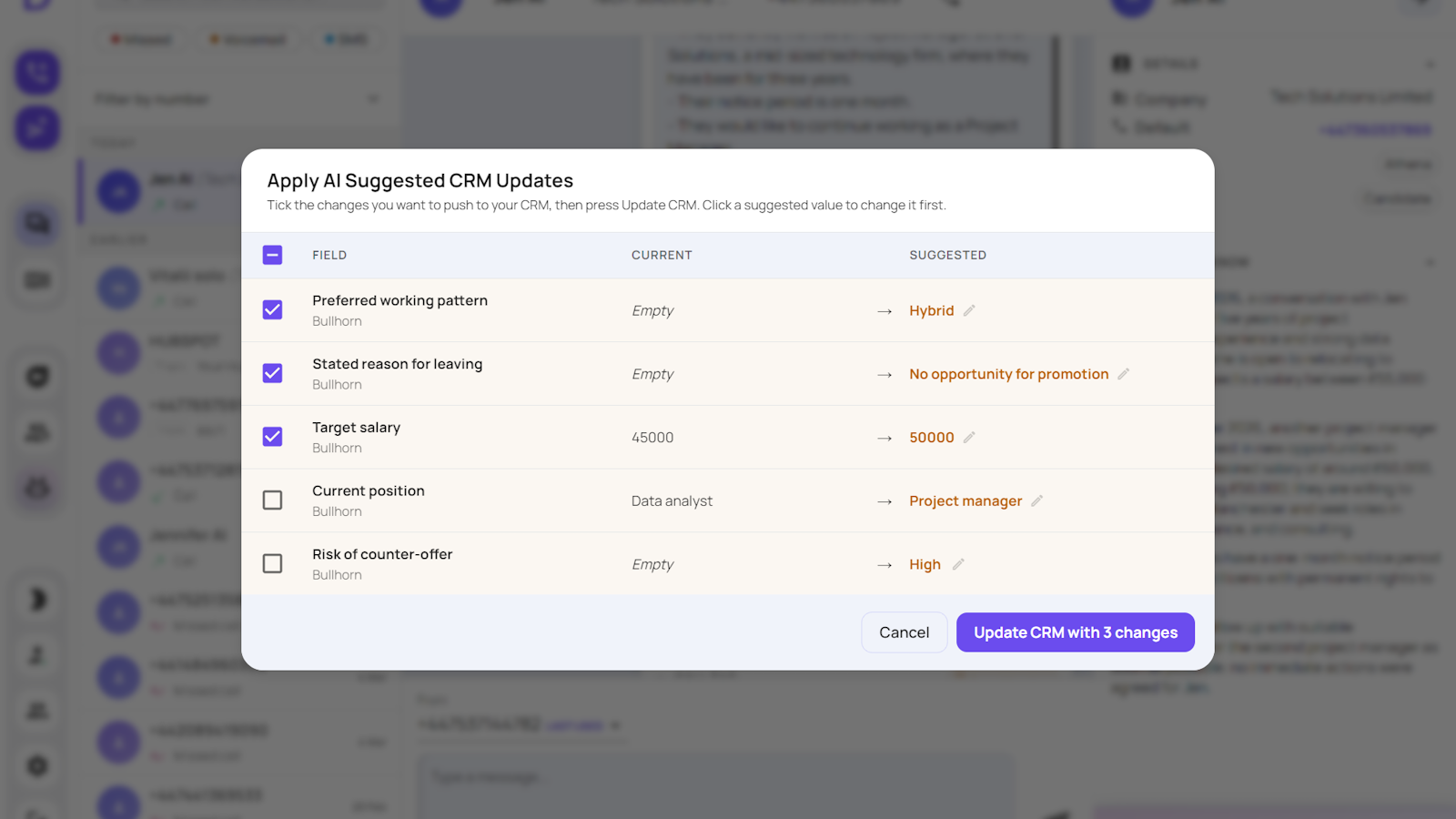
Updates the CRM you already use



No recruitment consultancy is the same, and no recruitment CRM is the same either. Custom fields, industry-specific abbreviations, weird rules that someone (long since gone) added 15 years ago.
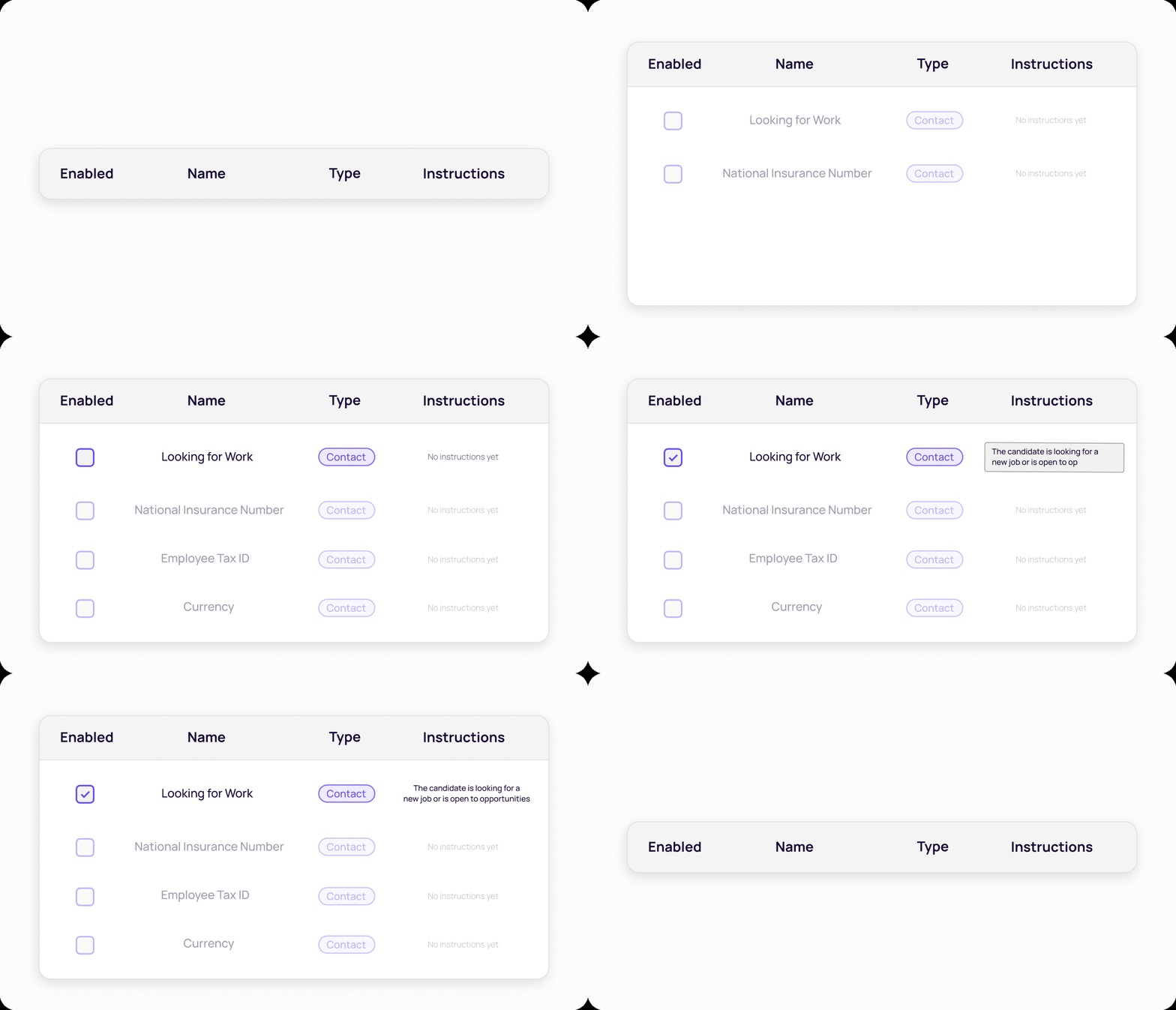
Data Link reads your field structure and works out what each one is for, down to the logic it should follow. You review what it proposes, tweak it to fit your business, then choose which fields it can update and which it leaves alone.
Every suggestion still goes to the recruiter to approve, so nothing reaches your CRM that a person has not agreed to.
No context switching. No waiting. Your CRM is updated seconds after a call, as quickly as your notes. Your team verify the changes and apply them in real time.
If they forget it's not a problem. The Devyce Portal shows which calls still need to be synced, making sure your CRM is as accurate as can be, from every call.

The details that matter most to your business are the ones in your own fields, and they are the ones that go stale first. When they stay current, your database stops being a list of names and starts answering questions: who is available, who is on notice, who fits this role.
The values land in your own CRM fields and stay there, so your CRM stays the one place anyone has to look. Nothing new for your team to learn, nothing for you to keep in step.

Your CRM already has the fields your business needs. Data Link keeps them filled, all of them, from calls your recruiters are making anyway. It is an add-on for Devyce Enhanced. Your account manager can switch it on and walk your team through choosing the fields, or our support team will put you in touch with the right person.
We are running a live webinar to walk through Data Link, show it working on a real call, cover how field selection works and answer your questions.
Dates are being confirmed now. Ask your account manager to add you to the list and we will send you an invitation.